Example · A household
The Marlows: a household's money, kept up to date
The Marlows' budget, transactions, bills and savings goals in one place. The sheet adds itself up, new charges sort themselves into the right line, and mr-bill makes the changes they ask for.
- ForA household
- BuiltBudget, bills, goals
- On its ownSorts charges, flags late bills
Try it
Change a number and the sheet follows, open the bills and the goals, then ask mr-bill for a change and watch it happen.

From a sheet nobody opens to one that keeps itself
Before
A sheet nobody opens
Numbers typed in on a Sunday, formulas broken, bills in an inbox, no idea where the month went.
Now
Money that keeps itself in order
Charges land on the right line, bills say when they're due, and the goals show how far there is to go.
Look around
Each part of the app, as it looks with the made-up data. Open any of them live.
Ask for a change, watch it happen
Ask mr-bill to move $100 to the emergency fund, cut dining out or flag the late bills, and the sheet changes in front of you. In the demo it's an example conversation: scripted, with made-up numbers, and nothing is sent.

Every bill, and which ones are late
Each bill with its due date, autopay and status. Mark one paid and it lands on its line in the budget.
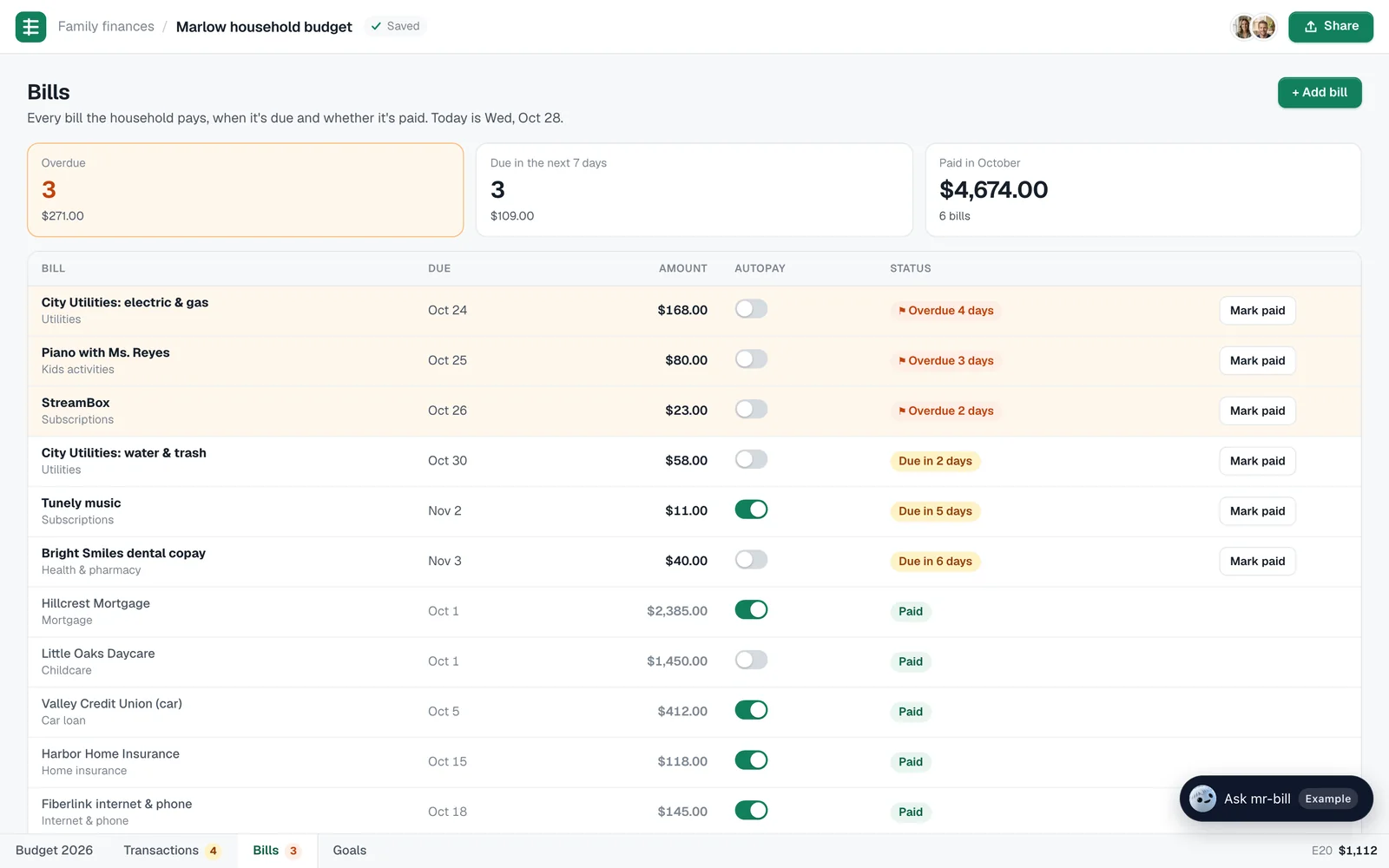
Goals with a monthly number
Each goal shows how far there is to go and what it takes a month to get there by its date. Money into the emergency fund or the 529 goes on the savings line.
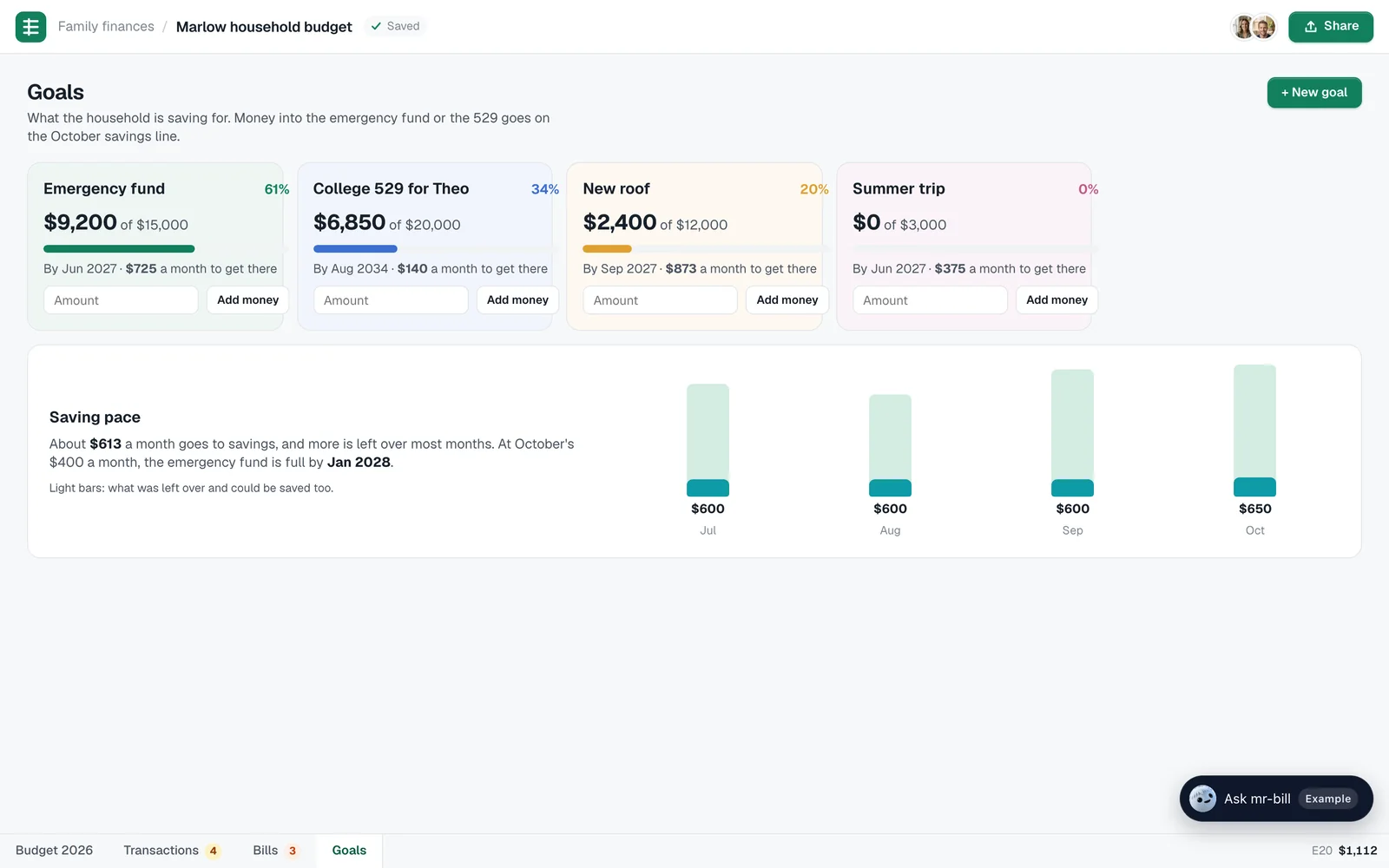
Every charge, on the right line
Search, filter by category or month, and fix a category in one click: the amount moves to the right line of the budget with it.

Running on its own
New charges get sorted, due dates turn into reminders, and a line that's running hot gets a note, without anyone opening the sheet.

What it does every day
- Totals, the savings rate and the charts follow every change
- New charges sorted into their lines, with the odd one left to review
- Bills with due dates, autopay and what's late
- Goals with the monthly amount to reach them
- Changes made when you ask for them in plain words